


Mastering Smoke Techniques in CSGO

When it comes to competitive play in CS:GO, mastering smoke grenades is a game-changer. Smokes can block enemy vision, create safe passage, and control the map in ways that few other tools can. If you want to elevate your gameplay, learning how to throw smokes effectively is essential. In this post, I’ll walk you through the basics, share some advanced smoke techniques in CS:GO, and guide you on where to practice these skills.
Why Smoke Techniques in CSGO Matter
Smoke grenades are more than just simple tools to block sightlines. They are strategic weapons that can turn the tide of a round. When used correctly, smokes can:
Deny enemy vision and force them to reposition.
Create safe entry points for your team.
Fake attacks by simulating presence in one area.
Delay enemy pushes and buy time for rotations.
Understanding the right spots and throws for smokes is crucial. It’s not just about throwing a grenade blindly; it’s about precision and timing. For example, a well-thrown smoke on the A site of Dust2 can block off CT spawn, allowing your team to push safely. On Mirage, a smoke in mid can cut off enemy snipers and give your team control.
The key is to practice these throws until they become second nature. This way, you can focus on your positioning and aim while trusting your smokes to do their job.
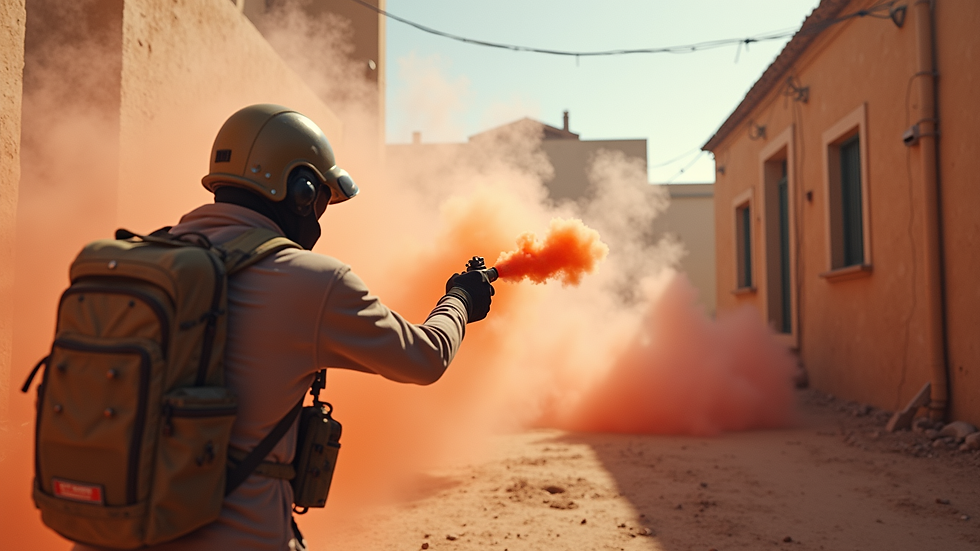
Essential Smoke Techniques in CSGO
Let’s break down some fundamental smoke techniques that every player should know:
1. Lineup Smokes
Lineup smokes are about finding a specific spot on the map and aiming at a fixed point to throw a smoke that lands exactly where you want. These smokes are consistent and reliable. For example, on Inferno, you can line up a smoke to block off Arch from Banana, allowing your team to take control safely.
How to practice:
Find a common smoke spot.
Stand in the exact position.
Aim at the designated point (usually a corner or a mark on the wall).
Throw the smoke and observe where it lands.
Adjust your position or aim if needed.
2. Jump Throw Smokes
Jump throws allow your smoke grenade to travel further and land in spots that are otherwise unreachable with a normal throw. This is useful for smoking off long-range areas or blocking sniper sightlines.
How to perform a jump throw:
Hold your smoke grenade.
Bind a jump throw key or practice timing your jump and throw simultaneously.
Aim at the lineup spot.
Jump and throw the smoke at the same time.
This technique requires practice but is invaluable for advanced smoke plays.
3. Pop Flashes and Fake Smokes
Sometimes, you want to confuse your opponents. Throwing a smoke that looks like a standard site smoke but lands slightly off can make enemies hesitate. Pairing smokes with pop flashes can blind enemies and allow your team to push aggressively.
4. One-Way Smokes
One-way smokes are clever throws that block enemy vision but allow you to see them through the smoke. These smokes give you a huge advantage in duels. They require precise positioning and knowledge of the map.
5. Support Smokes
Not every smoke is for entry fraggers. Support smokes help your teammates by blocking off rotations or cutting off enemy angles. For example, smoking off Connector on Mirage helps your mid player control the area safely.
Mastering these smoke techniques in CS:GO will give you a tactical edge. You’ll be able to control the map better and support your team more effectively.

Where to Practice CS Smokes?
Practice is the key to consistency. Here are some great ways to practice your smoke throws:
1. Offline Maps and Workshop Maps
CS:GO has many community-created workshop maps designed specifically for practicing grenades. These maps show you exact lineup spots and allow you to reset your grenades instantly.
Some popular workshop maps include:
Yprac maps (e.g., Yprac Mirage, Yprac Dust2)
Training_aim_csgo (for aim and grenade practice)
Grenade Practice maps with markers and guides
2. Offline with Bots
You can load your favourite map offline with bots and practice throwing smokes in real-time. This helps you get a feel for timing and positioning without pressure.
3. Custom Servers
Join custom servers dedicated to grenade practice. These servers often have plugins that reset your grenades and provide visual aids.
4. Watch Pro Players and Tutorials
Watching professional players and tutorials can teach you new smoke spots and techniques. Pay attention to their positioning and how they use smokes in different situations.
5. Regular In-Game Practice
Finally, apply what you learn in actual matches. Start with casual or deathmatch modes to get comfortable before moving to competitive play.
By dedicating time to practice, you’ll build muscle memory and confidence in your smoke throws.
Tips to Improve Your Smoke Game
Here are some actionable tips to help you improve faster:
Use consistent positioning: Always stand in the same spot for your lineup smokes.
Mark your lineup points: Use map features like cracks, edges, or textures as aiming points.
Bind a jump throw key: This makes jump throws easier and more consistent.
Communicate with your team: Let them know when and where you’re throwing smokes.
Watch your smoke timing: Throw smokes early enough to block vision but not too early to waste utility.
Experiment with angles: Sometimes a slight change in angle can make a big difference.
Record your throws: Use demos or recordings to review and improve.
Remember, smokes are a team tool. Use them to support your teammates and control the pace of the game.
Taking Your Game to the Next Level
If you want to truly master smokes in cs:go, it’s about more than just throwing grenades. It’s about understanding the flow of the game, predicting enemy movements, and using smokes to create opportunities.
Practice regularly, watch professional matches, and keep experimenting with new smoke spots. Over time, you’ll notice your game sense improving, and your impact on rounds will grow.
Keep pushing yourself, and soon you’ll be the player your team relies on to control the map with perfect smoke grenades.
Happy gaming!
The Gaming Diary is committed to helping you improve your skills and enjoy every moment of your gaming journey.


Comments